
$440
FOR THIS SCUFF




Everything you need to prove the car's condition
Document everything. Keep the proof. Never argue about damage again.
01
Verified report
Secure, multilingual and always accessible.
- 9 languagesView your report in the language you need.
- Cloud-backedCopied to your account once you are online, then open it anywhere.
- Tamper-evidentFinal the moment you save it. Not even you can change it afterwards.
02
Pickup / Return comparison
See what changed. Before you hand over the keys.
NEW SCRATCH
PICK-UPJul 27
RETURNAug 3
1 new damage detectedReviewed and marked in the report.
03
Works offline
No signal? No problem. Inspect and save everything offline. Auto-sync when you are back online.
- Work offlineSave all data on your device.
- Auto syncEverything syncs when you are back online.
04
All trip documents
Store and access all important documents in one secure place.
- Driving licence
- Insurance
- Rental contract
- Vehicle documents
Your documents are encrypted and stored securely.
Simple pricing
Scanning is always free. You pay once per rental to move the inspection off your phone — or once a year for all of them.
-
1
Scan for free
Photograph the car at pickup. Everything stays on your phone.
-
2
Unlock when it matters
One payment covers the rental: online storage, the capture date and time, a PDF report and a shareable link.
-
3
Return scan is free too
Scan the car again when you hand it back and compare the two inspections. A rental purchase adds the report.
For renters
Start with an inspection
Free
$0
No payment
Photograph the vehicle's condition and keep the inspection in the app.
- Step-by-step capture
- Pickup and return inspections, compared
- View the inspection in the app
- Automatic damage detection — coming soon
The online report comes with the paid plans.
For a single trip
One rental
$9.99
One payment for one rental
From pickup to return — a report on both inspections for the conversation with the rental company.
- Everything in Free
- Inspections stored online
- Capture date and time in the report
- PDF and a link to the online report
- Report in any of 9 languages
- File integrity check
No subscription, no auto-renewal.
For frequent renters
Every rental for a year
$29.99 / year
Yearly subscription
The same report features for every rental during the year.
- Everything in One rental
- Covers every rental in the year
- Cheaper from the fourth rental
Auto-renews yearly until cancelled in your Apple ID settings. Billed by Apple in your local currency. Terms · Privacy
If you allow it, photos you mark as damaged are also sent to us, anonymised, to improve damage detection. You can change that at any time in Settings.
Two inspections. One rental story.
Show what changed.
Photos from pickup and return let you discuss the vehicle's condition with concrete examples. The PDF is easy to keep, and the link is easy to share with the rental company.
Pickup→Return→Report
How does the report help protect my deposit?
Show the rental company the vehicle's condition at pickup and at return. If you disagree with a deduction, attach the report to a written complaint — it helps you explain your position with specific photos.
How can I check the photos were not altered?
The integrity check compares the files with the saved version and reveals any changes made after capture. It helps answer whether the photos presented have been edited.
When was the vehicle's condition recorded?
The report keeps the date and time each photo was taken on the phone, linking the photos to the pickup and return inspections.
What if the dispute is not resolved?
Give the report, together with your rental agreement and correspondence, to a lawyer or a consumer protection service. These materials help clarify what happened and prepare your next step.
Renting a car or a scooter? Protect yourself.
Mark defects with a single tap, on the go. Your report is generated in the language you choose.
Download on theApp Store
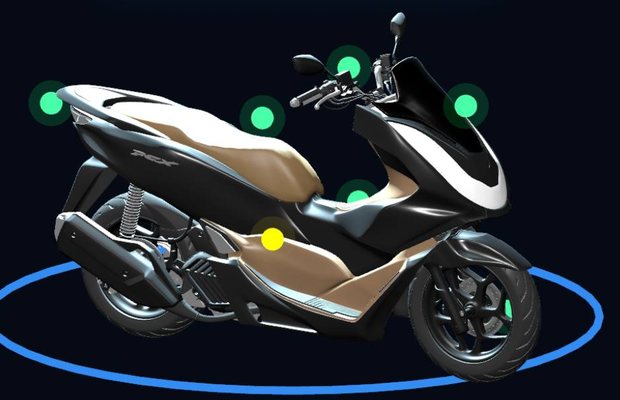
MANUAL MARK: SCRATCH
For fleets and rental desks
Rental company? Your whole fleet and acts in one place.
Inspectors mark damage in the mobile app, and the fleet dashboard updates as they do it: an inspection feed and a body-damage map, with no paperwork in between.
app.rentalguard.ai/fleet
128Vehicles
1,240Inspections
17Open damages
Inspection feed
TP0357Honda PCX 160Clean
TP0412Yamaha NMAX1 damage
TP0198Honda ADV 160Clean
TP0225Vespa SprintClean
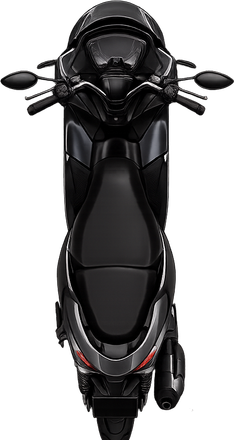
Damage map
Pricing for rental companies
Start free while you try it on a few cars. Pay per vehicle once it runs the desk.
For rental companies
Business Pilot
For local rentals
Free
- Max 5 active vehicles
- Max 10 acts / month
- Max 2 operators
Business
For chain rentals
$80
/mo
$4 per vehicle / mo
Fleet size
20
- Unlimited fleet & acts
- White-label act
- Advanced analytics
Your reports are sealed, and yours alone
What that means in practice, without the acronyms.
A saved report cannot be edited
It is signed the moment you save it. Alter the file and it no longer matches its signature — and the mismatch is visible to whoever checks.
Only you see your data
Each account's records are stored apart from every other. One rental company cannot read another's, and neither can we hand yours over by mistake.
Photos open only by a link that expires
Nothing sits at a public address. A shared link stops working after its window closes.
Technical details
- v1-crypto
- Report signing protocol. The signature covers the photo hashes, so swapping an image invalidates it.
- Row-level security
- Tenant isolation enforced in the database itself, not only in application code.
- Signed URLs
- Object storage is private. Every photo and act is served through a short-lived signed link.
- SHA-256
- Each file's hash is recorded in the audit trail; the on-photo caption is not what proves integrity.
Frequently asked questions
Does a manual damage mark count as evidence?
It is evidence, not a verdict. Every mark is tied to a photo with a server timestamp and a SHA-256 hash, so it is tamper-evident and verifiable by anyone you share the report with. Whether it settles a dispute depends on the rental company and, if it comes to that, the law where you rented.
Does it work with no internet in an underground garage?
Yes. The inspection is fully offline; data syncs once you're back on a network.
How is the monthly acts limit calculated?
On an anniversary cycle: the limit resets on your plan's start date, not the first of the month.
Who can see my reports?
Only you. Storage is row-level isolated (RLS) and files are reached via signed links.
Can I use it for both cars and scooters?
Yes — cars, bikes and scooters. The damage handbook is shared across them.
Is there an Android app?
In development. Leave your email on the waitlist to get a beta invite.